Tally Configuration |
|||||||||||||||
| Step 1 - Gateway of Tally | |||||||||||||||
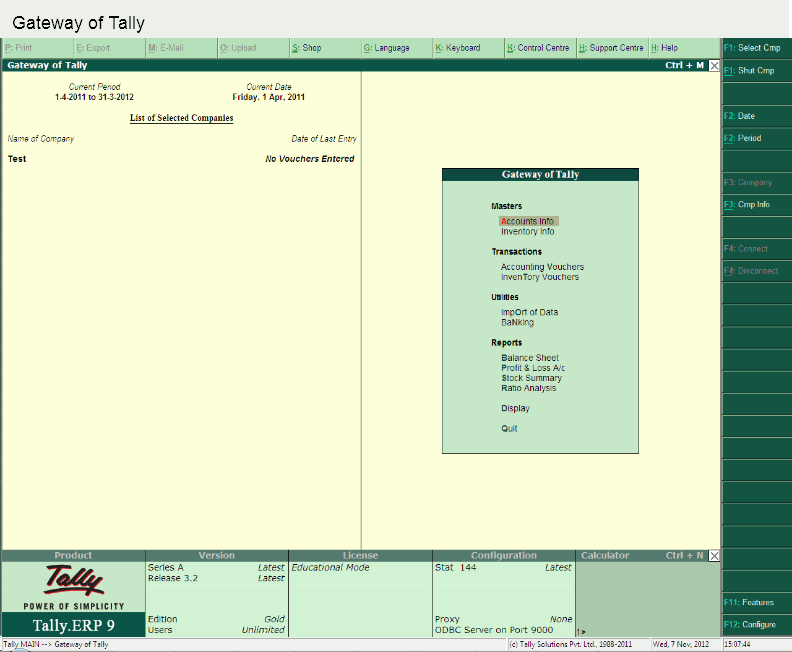
| Start from "Gateway of Tally" menu. Press F12 | |||||||||||||||
 |
|||||||||||||||
| Step 2 - Configuration | |||||||||||||||
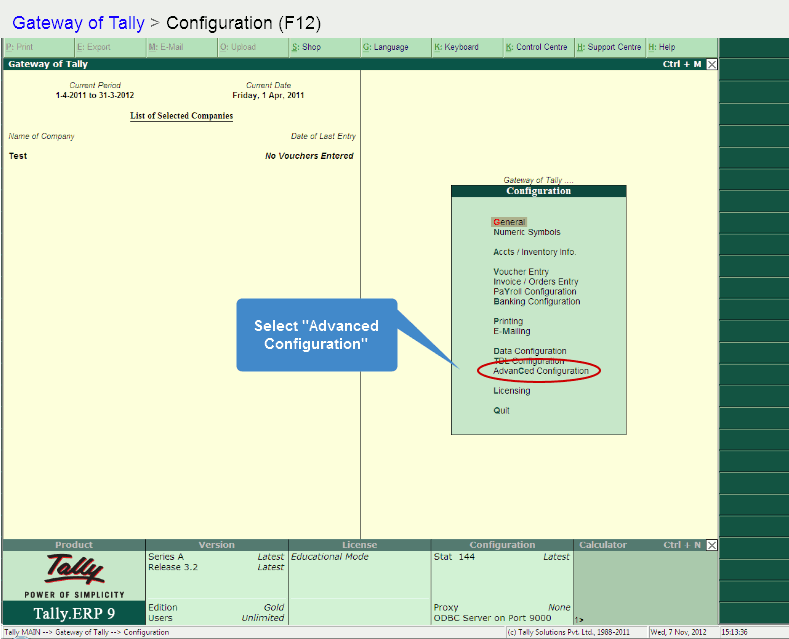
| The F12 key from "Gateway of Tally" will bring up the "Configuration" menu. Select "Advanced Configuration" or press "C" | |||||||||||||||
 |
|||||||||||||||
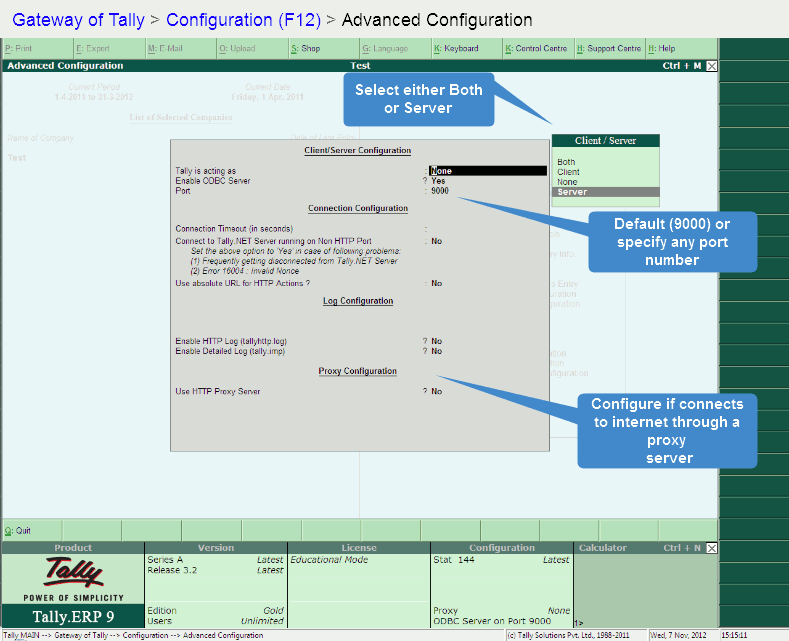
| Step 3 - Client/ Server Configuration | |||||||||||||||
In the client/server configuration screen make the following modifications
|
|||||||||||||||
 |
|||||||||||||||
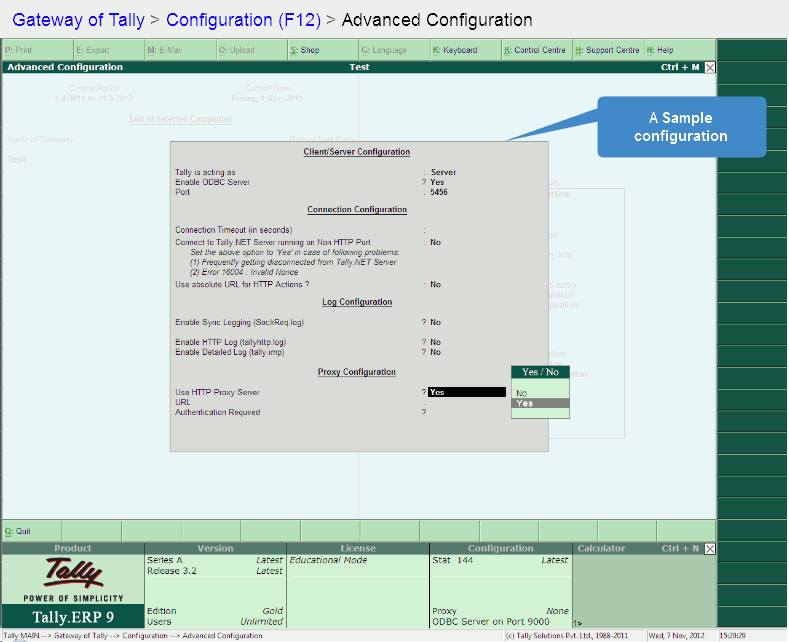
| Sample Configuration | |||||||||||||||
| Here is what a sample configuraton (minimal) may look like. You can choose to enable logging and proxy connections, if required. | |||||||||||||||
 |
|||||||||||||||
| Adding a firewall exception | |||||||||||||||
| It is very likely that Tally is already configured to connect through your Windows firewall.
In case it is not, the following links provide instruction on how to do that. There are a large number of sites
providing these instructions. On Windows XP On Windows Vista | |||||||||||||||
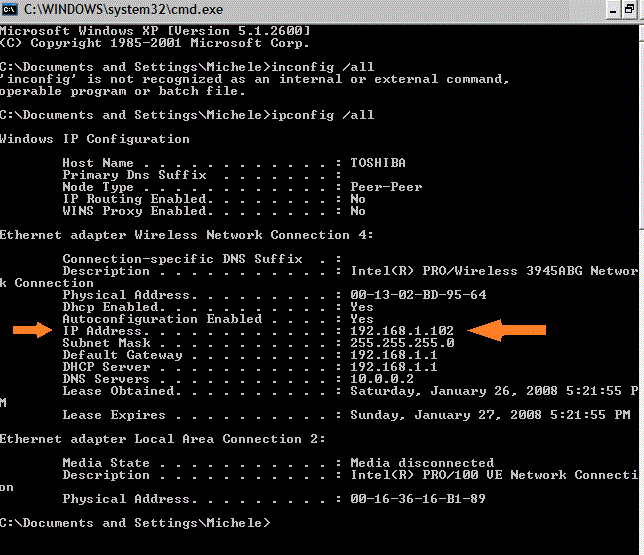
| Find IP Address | |||||||||||||||
| For finCom to access the Tally, it requires the IP address of the system where TALLY IS INSTALLED. Please follow the below steps to find the ip.
| |||||||||||||||
 |
|||||||||||||||
| Access from Internet | |||||||||||||||
| Configuring finCom to access the Tally data through the internet is
different from accessing it within the network or intranet. Before opening access to the internet it is very important to know the security implications of opening the port to the web. There are multiple ways in which Tally can be accesed through internet. You will need to know the static ip address allotted by your ISP. The most common method is port forwarding on the router. The following links provide information on how to do that. For different routers About Port Forwarding | |||||||||||||||
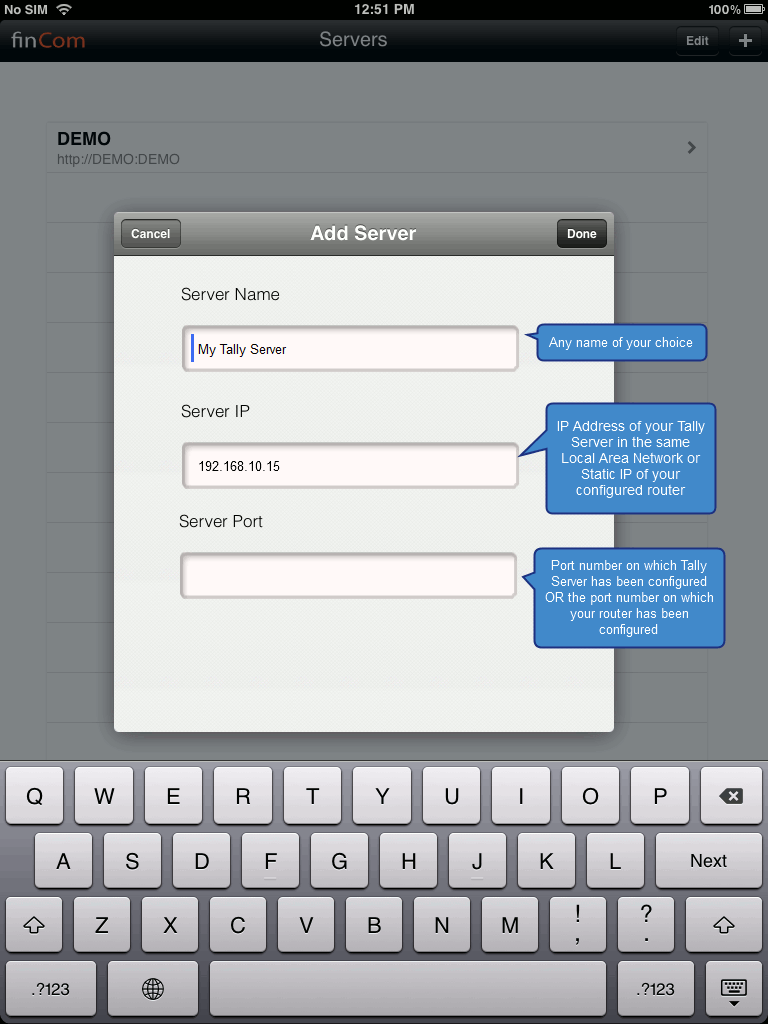
| Configure finCom on iPad | |||||||||||||||
 |
|||||||||||||||
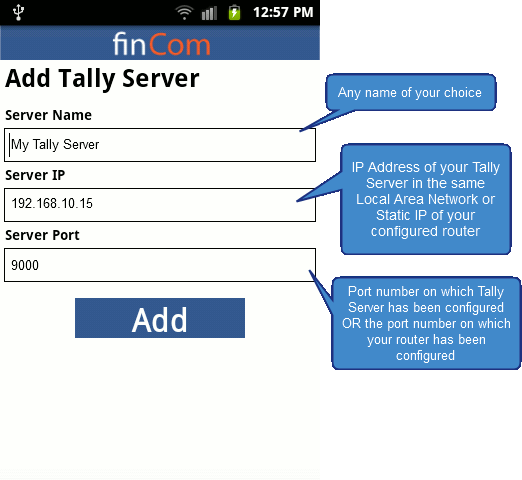
| Configure finCom on Android Devices | |||||||||||||||
 |
|||||||||||||||

